
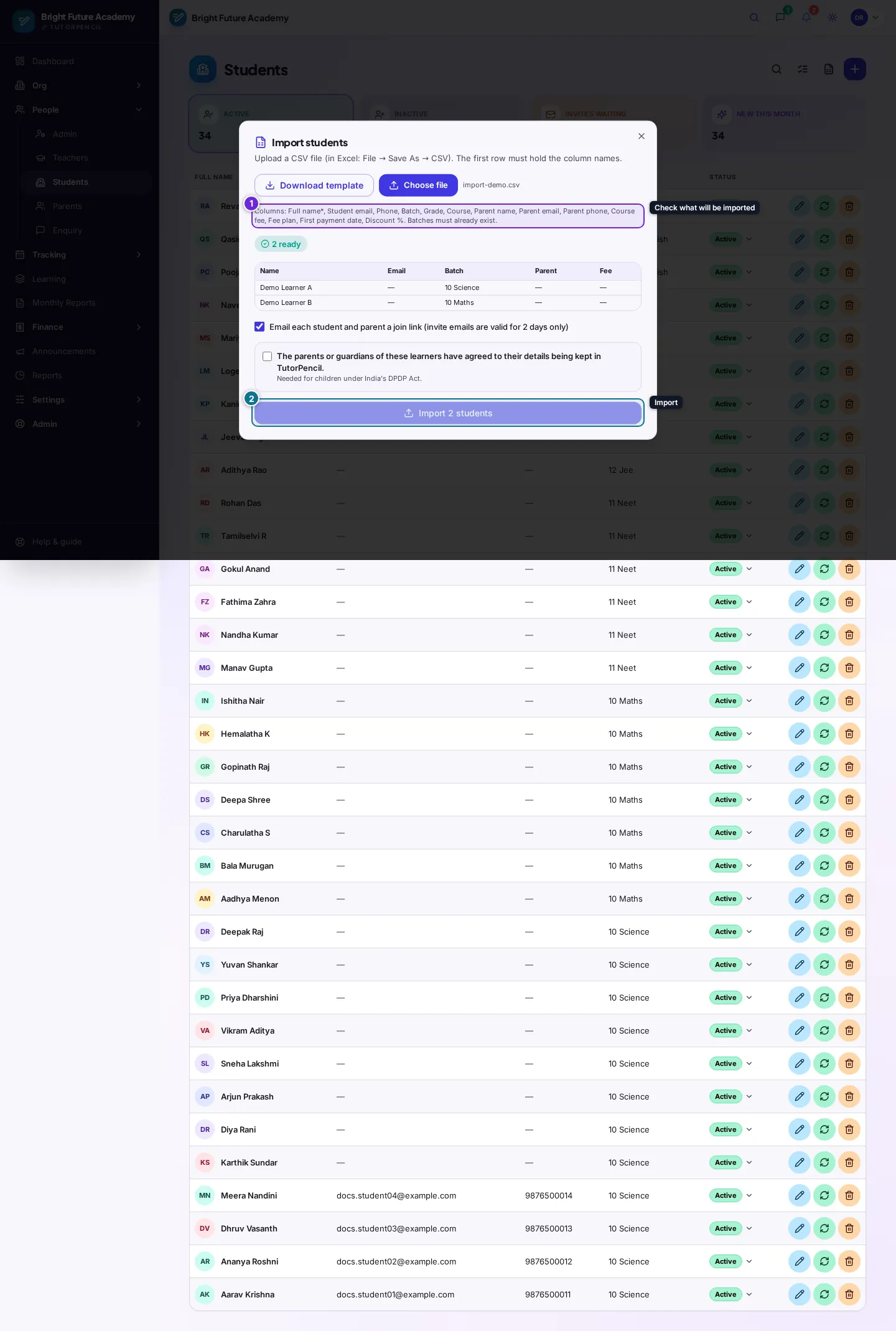
- Open People → Students and press Import students.
- Press Download template and fill one row per learner. Full name is required, and batch names must already exist.
- Save the sheet as CSV (in Excel: File → Save As → CSV). The first row must hold the column names.
- Press Choose file. The preview shows which rows are ready and which need fixing.
- Tick the consent box confirming the parents or guardians agreed to their details being kept (needed for children under India's DPDP Act).
- Leave Email each student and parent a join link ticked to invite them (links are valid for 2 days), then import.
Troubleshooting & FAQ
Many rows say the batch isn't found — the batch name in the sheet must match the batch exactly. Check spelling and spaces. Excel turned phone numbers into dates or numbers like 9.8E+09 — format the phone column as Text before saving.
Related pages: StudentsBatchesFee plans & schedules