
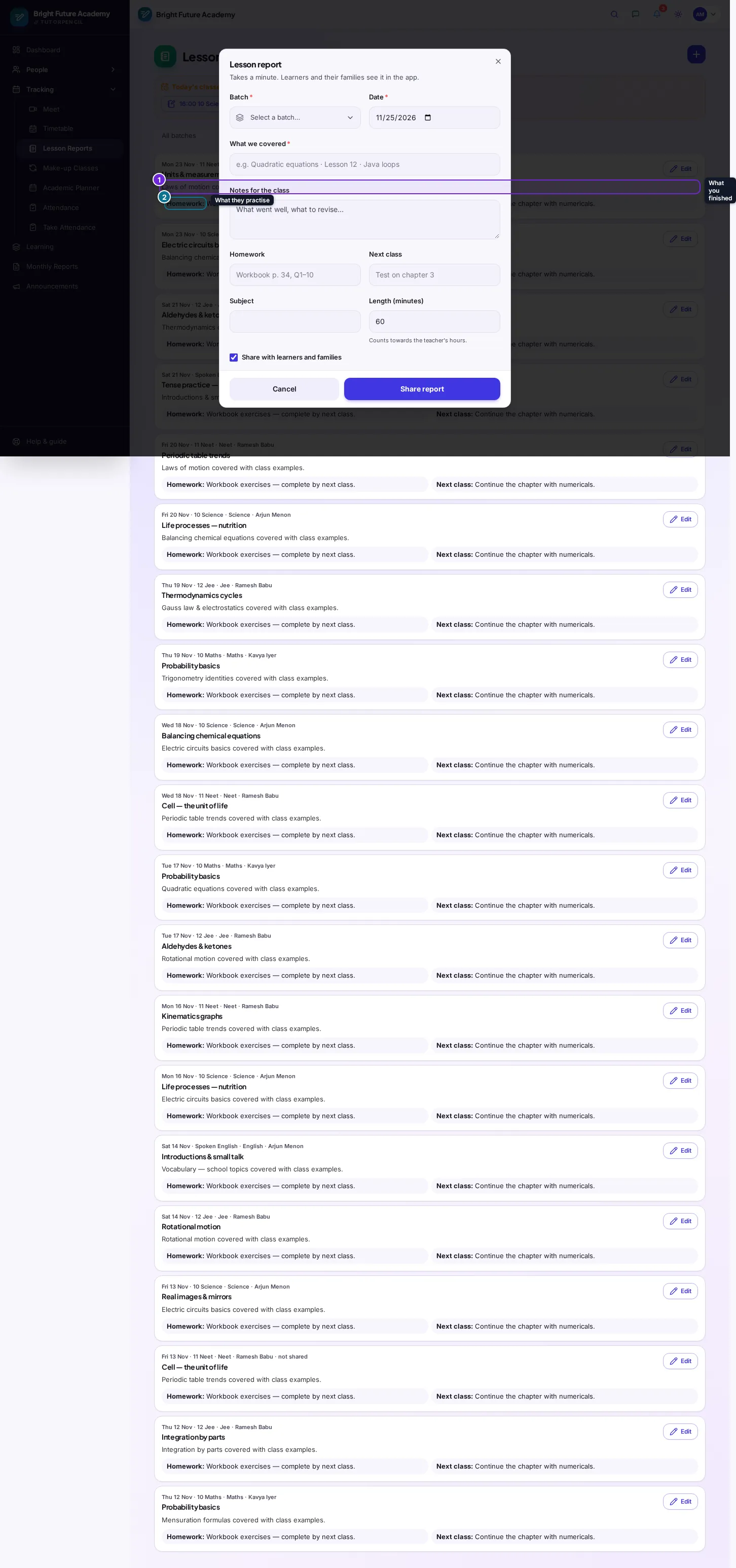
- Teachers: press Write report, or tap a class listed as without a report.
- Fill in what you covered (topic and summary), the homework and the plan for the next class.
- Optionally add a private note and a star rating for any learner — only that learner's family sees it.
- Save.
How it works
Teachers write a short report after each class. Families see it straight away. The class length counts towards the teacher's hours (Finance → Teacher Hours & Pay).
Troubleshooting & FAQ
A substitute teacher took the class — they write the report from their own login, so the hours count for them. I wrote the wrong topic — open the report and edit it.
Related pages: Homework & submissionsTeacher hours & payMonthly parent reports & meeting requests