
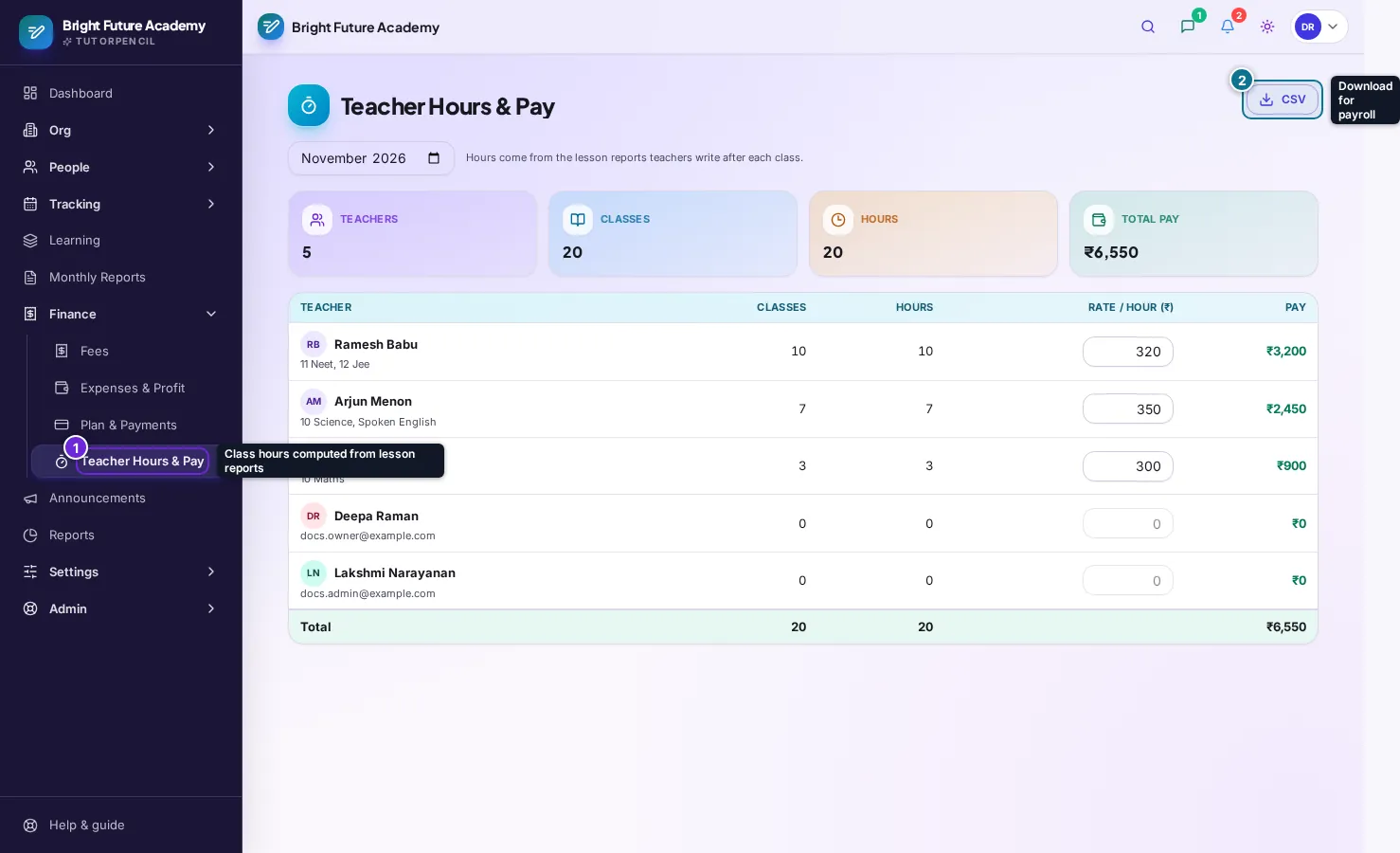
- Open Finance → Teacher Hours & Pay and pick the month.
- Type each teacher's hourly rate and press Enter. The pay updates.
- Press CSV to download the sheet for payroll.
How it works
Hours come from the lesson reports teachers write after each class. For the chosen Month, the table shows each Teacher, their Classes, Hours and Pay, with a Total and Total pay.
Troubleshooting & FAQ
A teacher shows 0 hours — they haven't written lesson reports for that month. A class was 90 minutes, not 60 — the class length in the lesson report decides the hours; edit the report.
Related pages: Lesson reportsTimetableExpenses & business dashboard