
- The quickest way: add the Parent email, Parent / guardian name and Parent mobile on the student's record. The parent gets their own invitation.
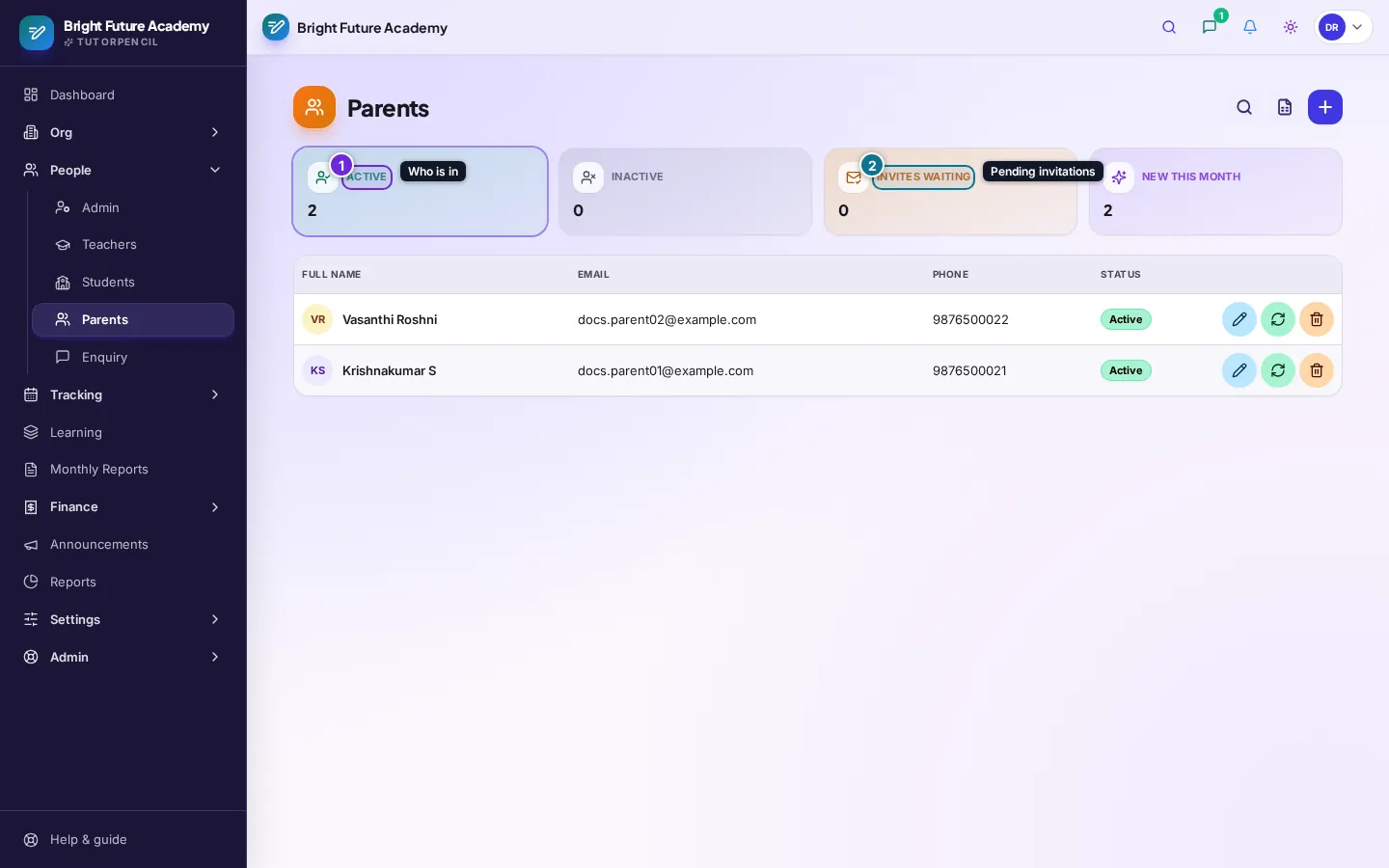
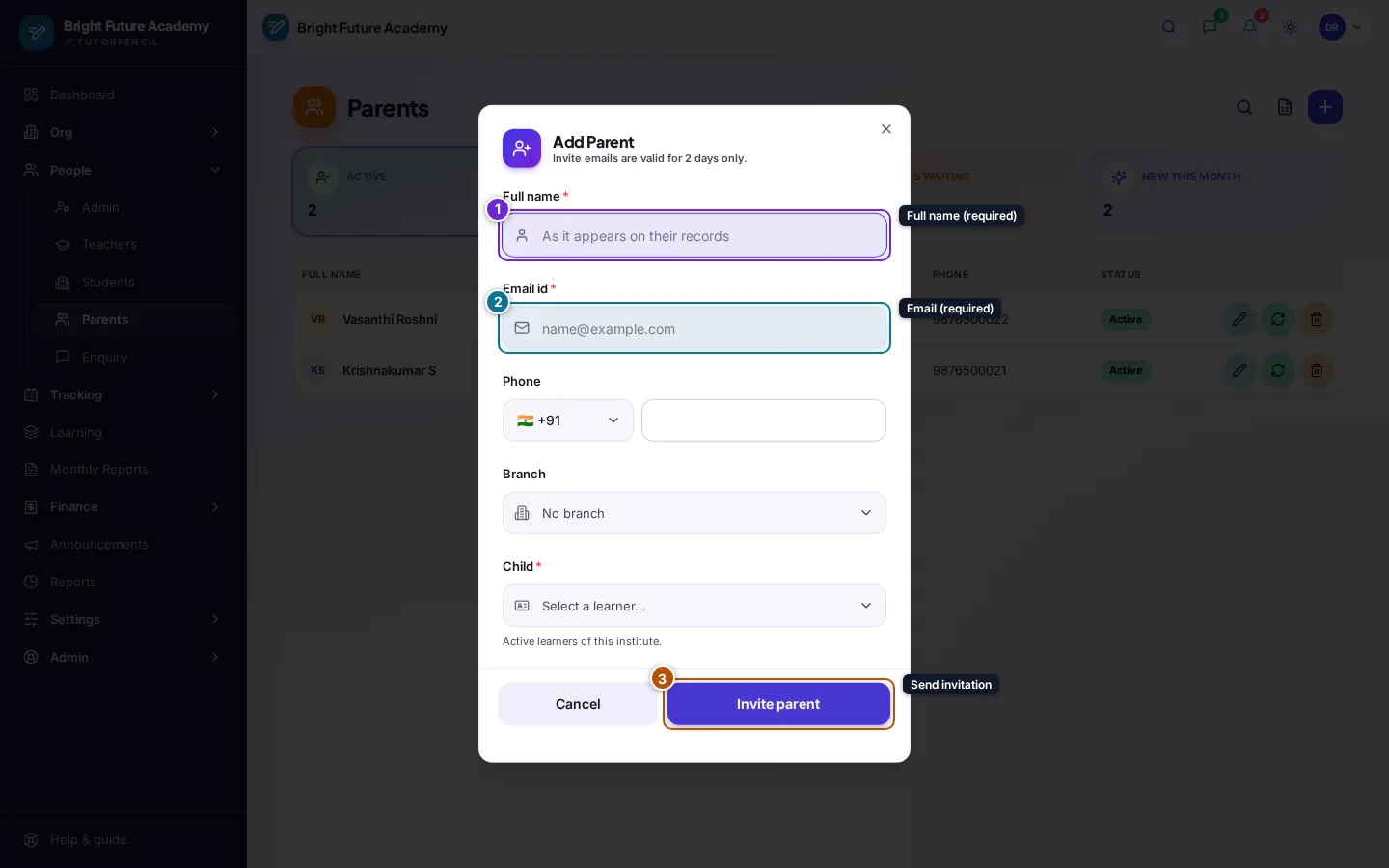
- Or open People → Parents and press the add button. Fill Full name and email, then pick the Child. For a parent with more than one child here, use More children / Add another child.
- Tick the consent box to confirm the parent or guardian agreed to their details being kept in TutorPencil (needed for children under India's DPDP Act).
- Save. The invitation email is valid for 2 days.
How it works
A parent account is linked to one or more learners and sees only those children — attendance, learning, monthly reports and fees. A child can have more than one parent or guardian, and a parent with children in different batches (or institutes) uses one login.
Daily use
- Parents sign in, see each child on their Dashboard and pay fees from Finance → Fees.
- Pending invitations are on the Invites tab: Re-send, Copy invite link or Revoke invitation.
Troubleshooting & FAQ
A parent can't see a new child — link the child on the parent's record (or add the parent email on the child's record). Both parents share one email — one email is one person. Give the second parent their own email address.
Related pages: StudentsParents see fees & payAccept an invitation