
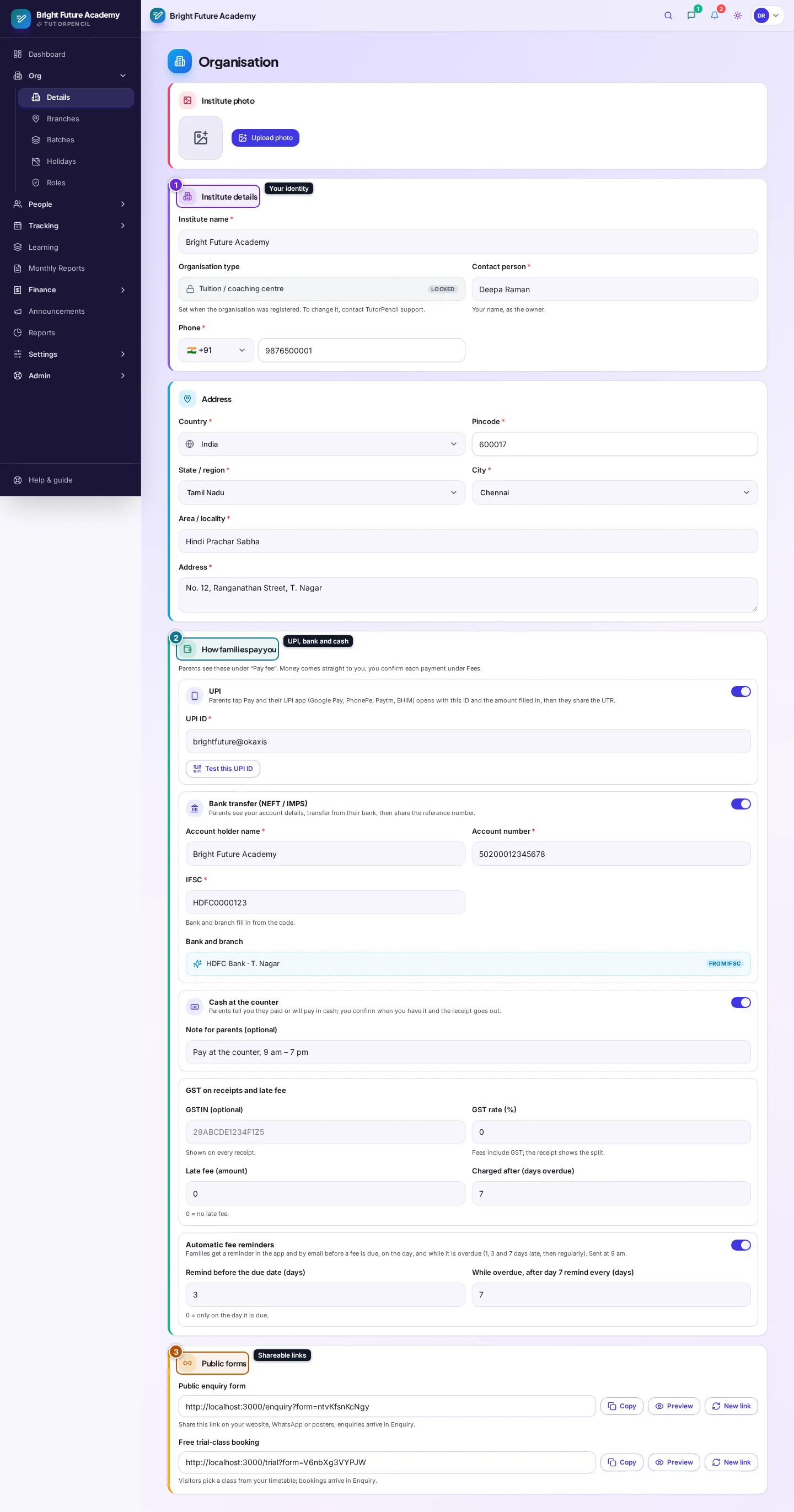
- Fill in the institute details and save.
- Under How families pay you, switch on UPI (your UPI ID), bank transfer (account number and IFSC) and/or cash at the counter, then save. Parents see these under Pay fee; you confirm each payment under Fees.
- Under Public forms, Copy the enquiry and trial-class links, or Preview them.
How it works
Org → Details holds what families and receipts see: Institute photo, Institute name, Contact person, Phone and Address. It also has How families pay you and your Public forms links. Your Institute ID is shown at the top — families type it to ask to join.
Daily use
- On Finance → Fees, the How families pay you button next to the title opens this section directly. It shows a dot when no payment method is set up yet.
- New link replaces a public link; the old one stops working immediately.
Troubleshooting & FAQ
Parents don't see a UPI option — switch on UPI under How families pay you and save. A shared form link no longer works — a new link was made. Copy the current one.
Related pages: UPI & online payments to verifyEnquiries, the public form and free trial classesBranches