
- On Finance → Fees, press How families pay you (or open Org → Details).
- Switch on the methods you accept:
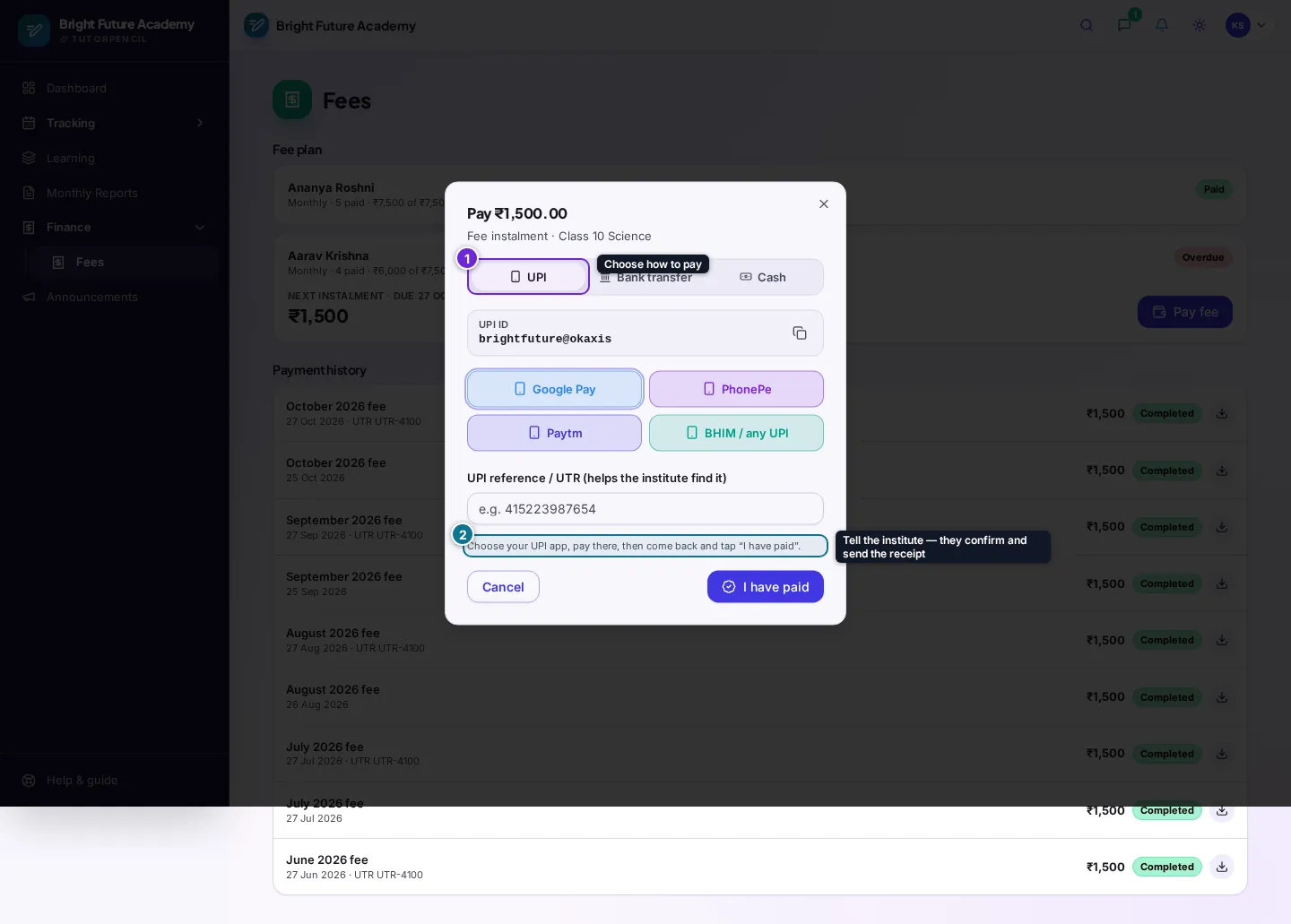
- UPI — your UPI ID. Use Test this UPI ID and scan the QR with your own UPI app to check the account name is yours. If needed, pay ₹1 to confirm.
- Bank transfer (NEFT / IMPS) — Account holder name, Account number and IFSC (bank and branch fill in from the IFSC).
- Cash at the counter — with an optional note for parents, such as office hours.
- Optional: GSTIN and GST rate (%) for receipts, and a late fee.
- Save.
How it works
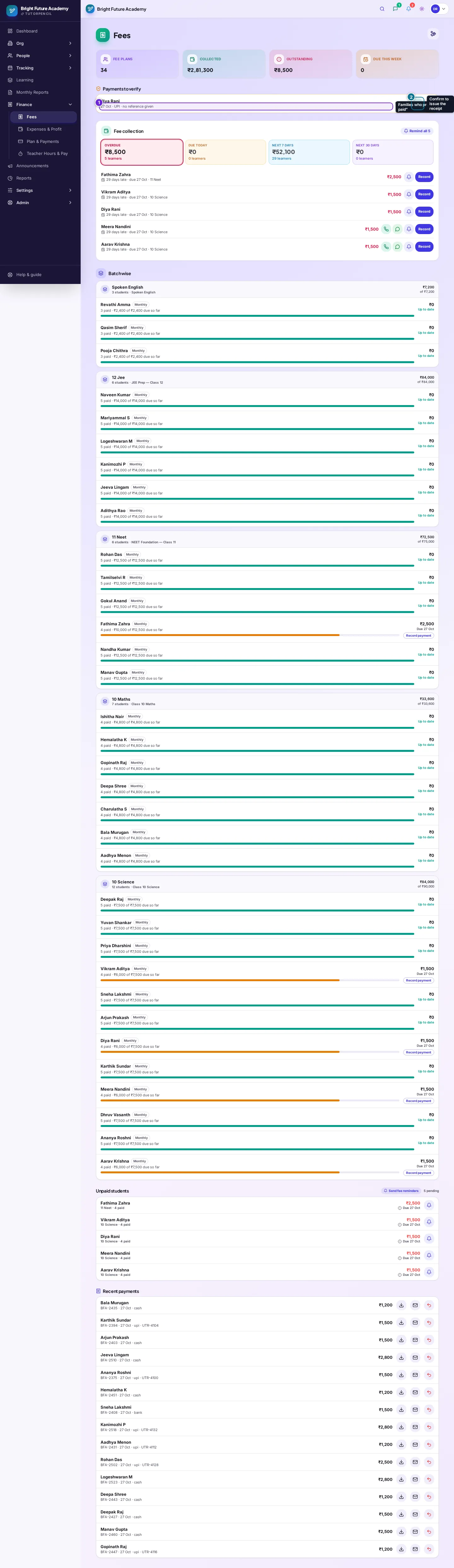
Parents pay you directly — TutorPencil never holds the money. They tell the app they paid, and you confirm it under Payments to verify; the receipt goes out when you confirm.
Daily use
- Open Payments to verify. For each claim, check your bank or UPI app, then press Confirm received (the receipt is emailed) or Not received.
Troubleshooting & FAQ
A claim has no reference — ask the parent for the UTR from their UPI app before confirming. Paid, but it still shows due — the claim is waiting under Payments to verify. Confirm it.
Related pages: Recording payments + receiptsFee plans & schedulesOrganisation details