
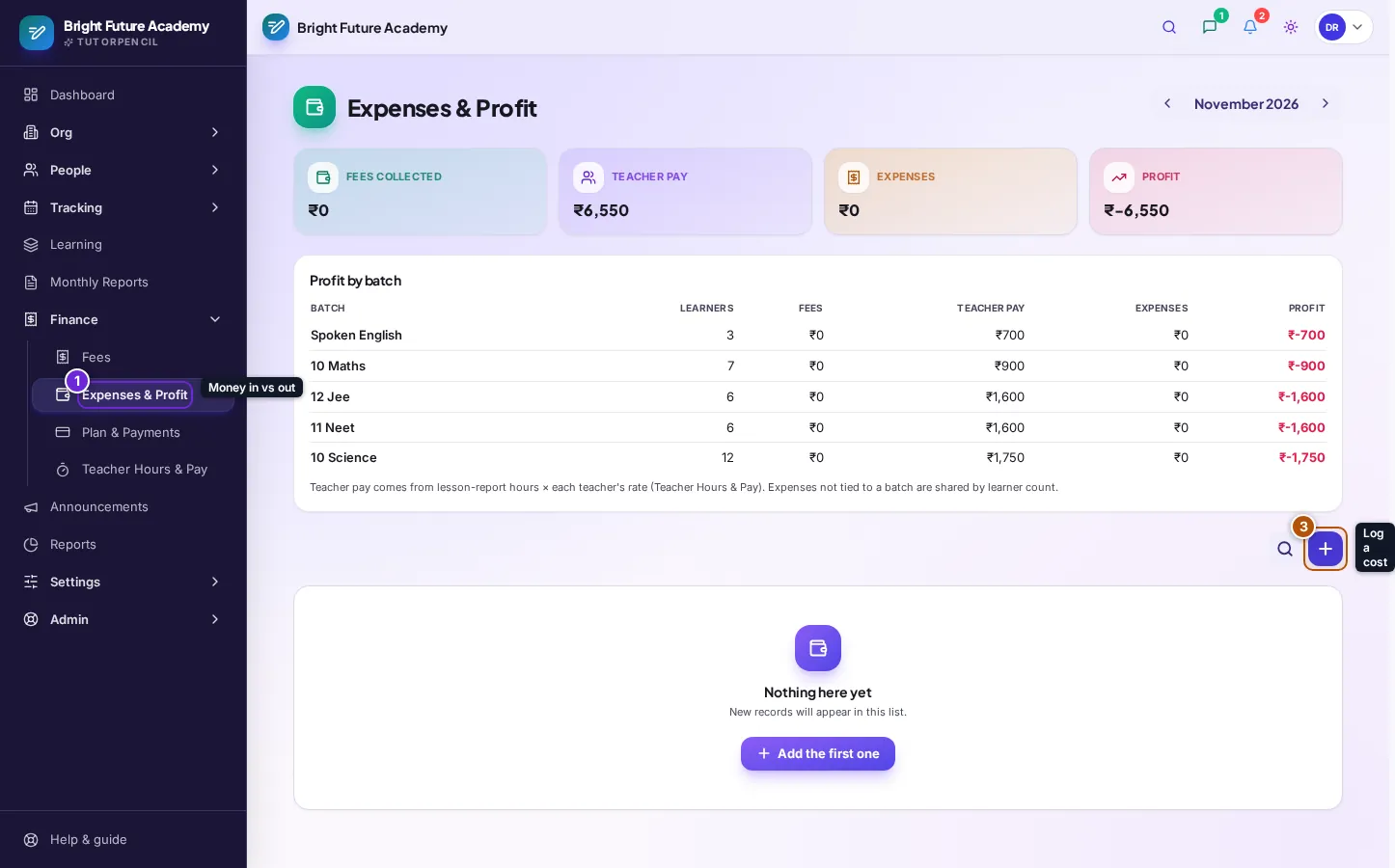
- Open Finance → Expenses & Profit and pick the month with ‹ / ›.
- Add each expense with its category (rent, salaries, electricity & internet, materials, marketing, equipment, maintenance, software, travel, other), amount, date, who it was paid to and, if it belongs to one, the batch or branch.
- Teacher pay comes from Finance → Teacher Hours & Pay.
How it works
- Finance → Expenses & Profit shows one month at a time. The month picker is next to the title: ‹ month › (short on a phone). It shows Fees collected, expenses, teacher pay and Profit by batch — for each Batch: Learners, Fees, Teacher pay, Expenses and Profit.
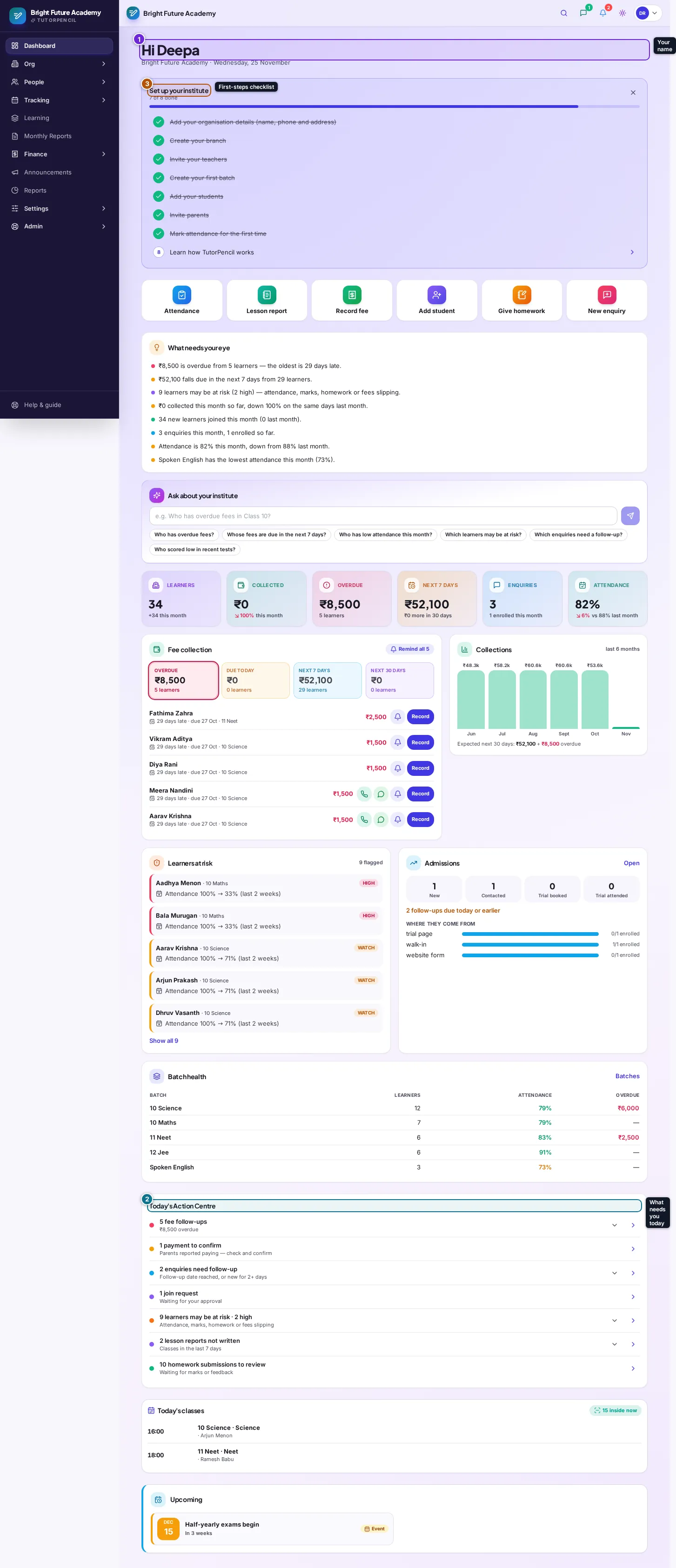
- The owner's Dashboard is the business view: collections, admissions, batch health, learners at risk and a fee collection list.
Daily use
- On the Dashboard, Ask about your institute answers questions from your own records, for example "Who has overdue fees in Class 10?".
- Learners at risk flags warning signs in attendance, marks, homework or fees.
- The Fee collection list has Record, Call, WhatsApp and Fee reminder for each family with dues.
Troubleshooting & FAQ
Profit doesn't match my bank — only payments recorded in TutorPencil and expenses you entered are counted. A batch shows 0 learners — its learners are inactive or haven't been put in that batch yet.
Related pages: Fee plans & schedulesTeacher hours & payReports & exports