
How it works
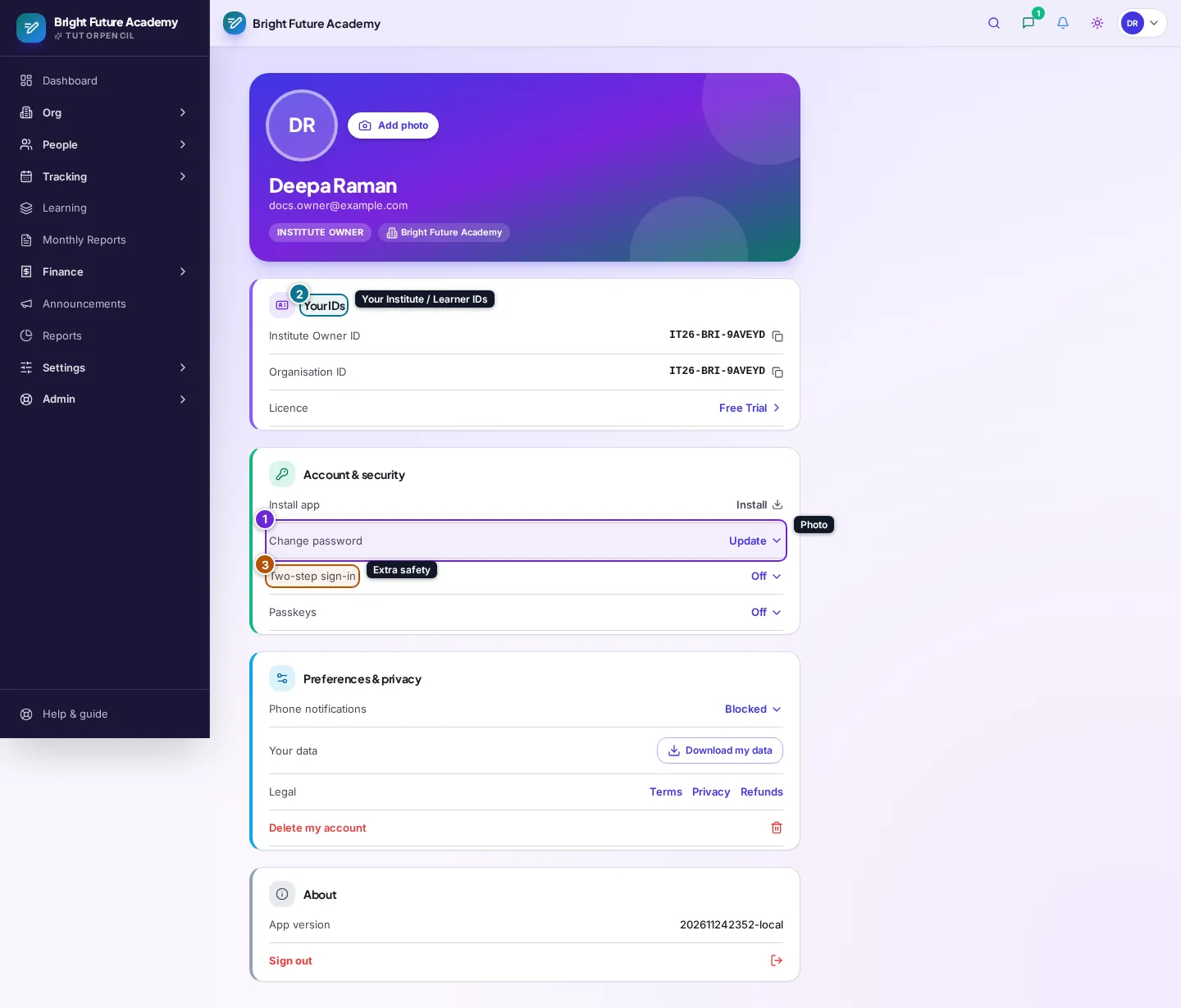
Your Profile has these parts:
- Your photo — add one and Fit your photo, or Remove photo.
- Account & security — Change password, Two-step sign-in, Passkeys and Sign out.
- Phone notifications and Install app.
- Your IDs — your personal and institute IDs.
- Preferences & privacy — your data, legal pages and Delete my account.
- About — the app version.
Daily use
- Change password: enter your current password, then the new one twice.
- Phone notifications: Turn on for this device, Send a test or Turn off on this device.
Troubleshooting & FAQ
My photo won't upload — choose a JPG or PNG photo. I can't turn off two-step sign-in — your institute requires it for staff.
Related pages: Two-step sign-in and passkeysSign in, passwords and GoogleNotifications (the bell)